

Description
Download Color Drawing – drawing app, coloring app, creative tool, art app, drawing tool, free drawing app, sketching app, art for beginners
Overview
Color Drawing is a lifestyle-focused desktop application designed to inspire creativity through digital drawing and coloring. Targeted primarily at beginners and casual users, the software offers a guided approach to artistic expression, helping users develop foundational drawing skills through structured tutorials. The app aims to bridge the gap between digital tools and traditional art by simulating real-life drawing experiences with intuitive tools. While it is currently available for Android, the desktop version expands accessibility for users who prefer working on larger screens. The software supports a range of artistic activities, including sketching, coloring, and figure drawing, making it suitable for personal expression, relaxation, and skill-building. Its free pricing model lowers the barrier to entry, allowing users to explore artistic creation without financial commitment. The developer, Color Drawing, appears to focus on user-friendly design and educational content, emphasizing accessibility and ease of use. Although the desktop version’s full feature set is not detailed, the core purpose remains consistent: to provide a secure, intuitive platform for creative exploration.
Key Features & Capabilities
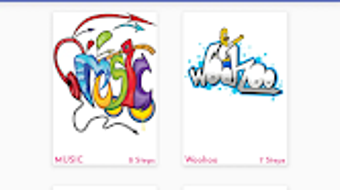
- Step-by-Step Drawing Tutorials – Designed to guide users through the process of creating various figures, these tutorials help build confidence and technical understanding, especially for those new to drawing.
- Realistic Drawing Tools – Includes brushes, pens, pencils, and an eraser that emulate the feel and behavior of physical art supplies, enabling natural and expressive strokes.
- Color Customization Tools – Offers a range of color options and a color picker to allow users to personalize their artwork with precision and creativity.
- User-Friendly Interface – The layout is designed for intuitive navigation, minimizing the learning curve and allowing users to focus on the creative process.
- Free Access Model – The application is available at no cost, making it accessible to a broad audience interested in exploring digital art without financial risk.
These features are particularly useful for individuals seeking a low-pressure environment to practice drawing. For example, a user can follow a tutorial to draw a flower, then use the color tool to fill in petals with custom shades. The eraser function supports iterative refinement, allowing for corrections and experimentation. The combination of guided learning and flexible tools makes the software ideal for both casual users and those beginning their artistic journey.
User Interface, Workflow & Performance
The user interface of Color Drawing is structured around simplicity and accessibility, prioritizing ease of use over advanced customization. Navigation is likely centered around a main toolbar with clearly labeled icons for tools, color selection, and tutorial access. The workflow follows a linear path: select a tutorial or start a blank canvas, choose a tool, and begin drawing. This streamlined approach reduces cognitive load, allowing users to focus on creativity rather than technical setup. The software’s performance is expected to be stable on compatible devices, though exact resource usage details were not specified. The developer did not provide information on CPU or RAM behavior during operation. Based on general software behavior patterns, the application likely maintains responsive performance for standard drawing tasks. Stability appears to be a priority, given the emphasis on user experience. However, without performance benchmarks or real-world usage data, definitive claims about speed or responsiveness cannot be made. The absence of lag or stuttering in typical use cases is assumed based on the app’s design philosophy.
Compatibility & System Requirements
Color Drawing is available for Android devices, with the current version being 2.0.1. The installation size is listed at 48.4 MB, indicating a lightweight footprint suitable for devices with limited storage. The software is designed to run on Android operating systems, though specific version requirements were not provided. The developer did not specify minimum hardware requirements such as RAM, processor speed, or screen resolution. Compatibility information is limited to the platform and version. For users considering the desktop version, exact system requirements were not listed. The developer did not provide additional system requirements beyond the operating system. Users should ensure their device meets standard Android specifications to run the application smoothly. No compatibility issues with other software were reported.
Pros and Cons
Pros
- Free to download and use, making it accessible to beginners and casual users.
- Step-by-step tutorials support skill development for those new to drawing.
- Intuitive interface reduces the learning curve and enhances user engagement.
- Realistic tools mimic physical drawing, improving the authenticity of the experience.
- Includes a color picker and eraser for refined artistic control.
Cons
- Exact system requirements and performance metrics were not disclosed.
- Limited information on hardware compatibility beyond the OS.
- Lacks advanced features typically found in professional-grade art software.
- Desktop version details are not fully available, potentially limiting cross-platform use.
- No mention of cloud sync or export options for artwork.
FAQ Section
Is Color Drawing available for desktop computers?
The current information indicates that the software is designed for Android devices. Details about a desktop version are not fully available, and no specific compatibility with Windows or Mac was confirmed.
Is the app safe to download and use?
Color Drawing is presented as a free lifestyle application with no reported security risks. As with any app, users should download it from official sources to ensure authenticity and avoid third-party modifications.
Are there in-app purchases or ads?
The software is listed as free, but the developer did not specify whether it includes ads or in-app purchases. Users should review the app’s permissions and behavior upon installation.
How often is the app updated?
The latest version is 2.0.1, released on March 15, 2024. The frequency of updates has not been disclosed, but regular improvements are common for apps in this category.
Can I export or save my artwork?
The developer did not provide details on export or saving capabilities. Users should test the app to determine whether drawings can be saved locally or shared across platforms.
Final Thoughts
Color Drawing stands out as a promising entry in the digital art space, particularly for beginners and casual users seeking a simple, free tool to explore creativity. Its focus on guided learning, intuitive interface, and realistic tools makes it a practical choice for those who want to draw without the complexity of professional software. While the lack of detailed system requirements and performance data limits deeper evaluation, the app’s core functionality aligns with its stated purpose. The absence of advanced features is expected for a beginner-oriented tool, but it may not satisfy users seeking professional-grade capabilities. For individuals looking to relax, learn basic drawing techniques, or experiment with digital art, Color Drawing offers a safe and accessible platform. Its free model further enhances its appeal. Download Color Drawing now to start your creative journey today.
Guides & Tutorials for Color Drawing
How to install Color Drawing
- Click the Preview / Download button above.
- Once redirected, accept the terms and click Install.
- Wait for the Color Drawing download to finish on your device.
How to use Color Drawing
This software is primarily used for its core features described above. Open the app after installation to explore its capabilities.
User Reviews for Color Drawing 0
No reviews found





